


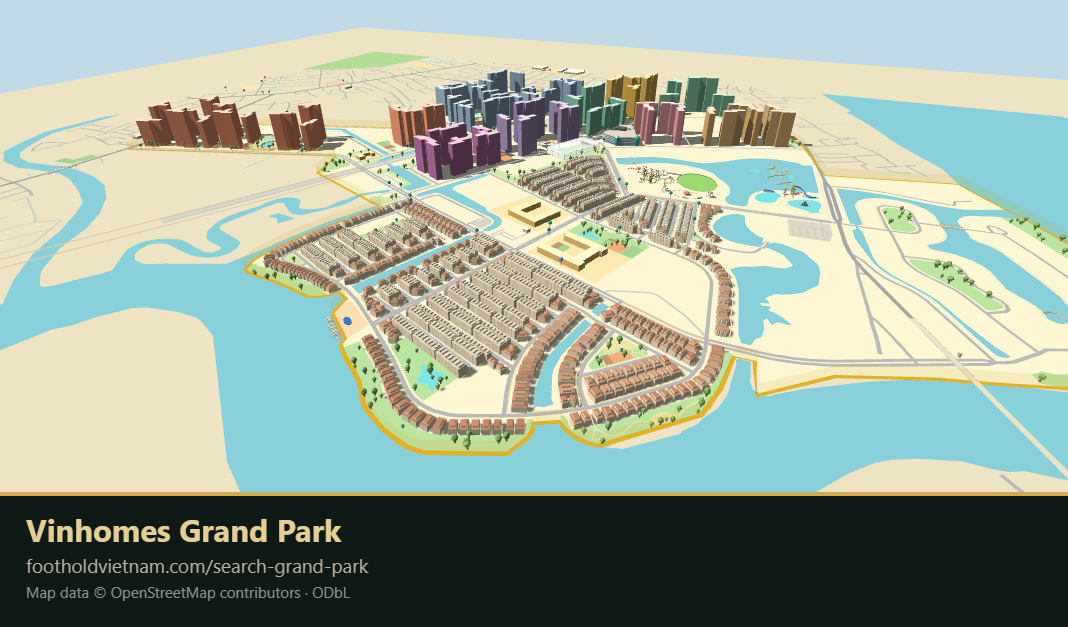
I’m pleased to report that we’ve completed the interactive 3D map of Vinhomes Grand Park! The towers with all residential units (some 40,000) have been ready for a while, but now the map also shows the Manhattan and Manhattan Glory areas as well. Every building on the map is clickable and searchable.
You can find the map here.
There are several other structures that are clickable, like the bus terminal and all the bus stops. Clicking them brings up the bus timetables. Some BBQ spots are clickable, but not all of them yet. It’s all work in progress; we are hoping to create a useful tool for navigating Grand Park and prove as much information as possible!
Let me show you the most important features of the map, the navigation and the two search bars.
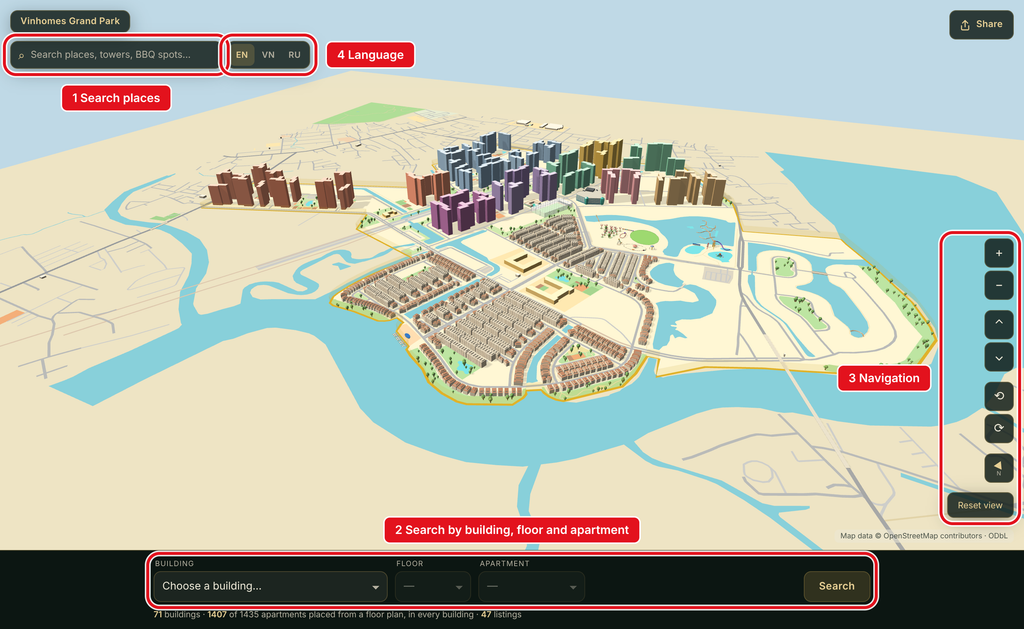
You can search places in the top search bar (1) by entering addresses, building names, or anything else that we’ve added to the map so far.
In the bottom search bar (2), you can choose a high-rise building and, optionally, a floor and an apartment number, and the camera will fly there. The map will show you the location, and you can switch to the building view, and even see the view from the apartment.
The navigation bar (3) allows you to tilt, rotate, and zoom in and out, and when something is selected, you can also drag the map left and right.
The map currently supports Vietnamese, English, and Russian, and you can switch between the languages (4).
What’s next
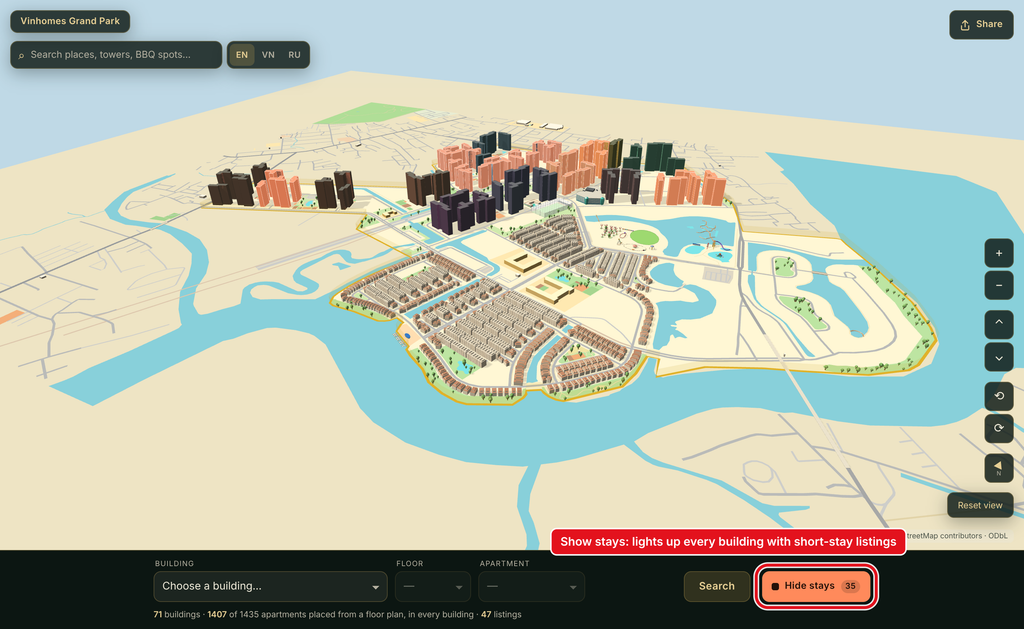
The next feature we will be adding is listings of short-term rentals. Clicking on “Show Stays” will show you all the towers where short-term rentals are available.
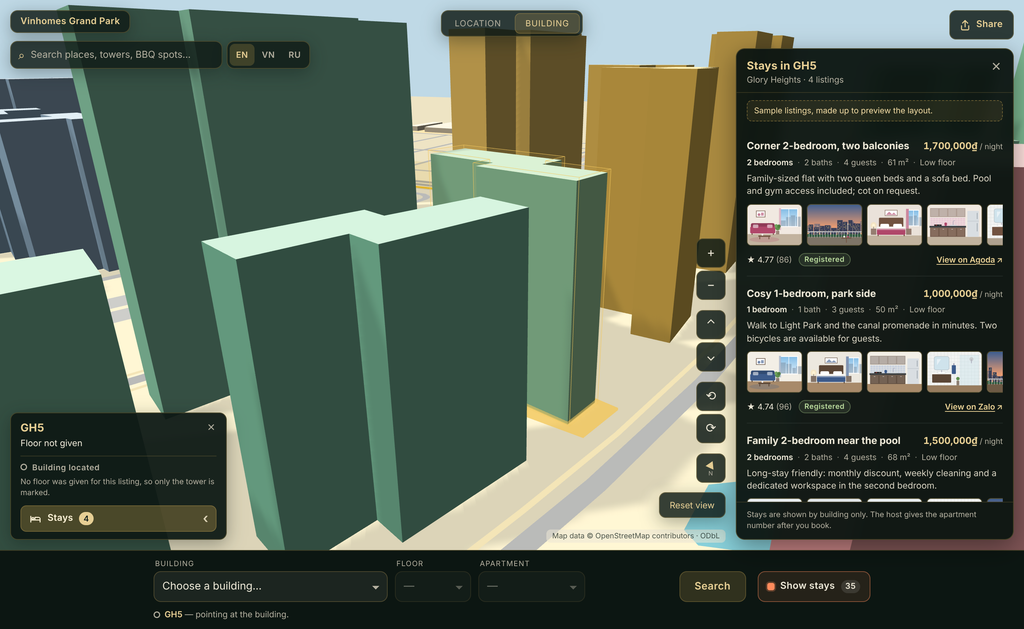
And clicking on “Stays” will bring up a list with available apartment for short-term stays.
I hope you are as excited about this feature as we are!
What would YOU like to see on the map?
Is there anything that you would like to see on the map? Maybe because it would be useful, or simply because it would look cool? Get in touch and let us know! Email: [email protected].